PDF Dark Mode in Adobe Acrobat — Hidden in Accessibility
By PDF Dark Team · · 4 min read
You already found what looked like the answer: View → Display Theme → Dark Gray. You switched it on, the toolbar and panels went dark — and the document itself kept glowing white in the middle of the window. A second, slower pass through the View menu turns up nothing else that sounds right. The setting that darkens the actual page does exist; Adobe just filed it under Accessibility, where almost nobody thinks to look.
The quick answer
Acrobat can darken the page natively: the setting is Preferences → Accessibility → Replace Document Colors, and Option 1 walks through it. It only changes how this copy of Acrobat displays PDFs — to make the file itself dark, on your phone or for anyone you send it to, run it through the converter once instead, which is Option 2.
Option 1: turn on Replace Document Colors
Dark Gray only recolors the application around the document. The setting that repaints the page itself lives here:
- Open Preferences: Edit → Preferences (Ctrl+K) on Windows, or Acrobat → Preferences (⌘K) on Mac.
- Select the Accessibility category.
- Check Replace Document Colors.
- Choose Use Custom Color — set Page Background to a dark color and Document Text to a light one (or pick a built-in high-contrast combination).
- Click OK — every PDF you open now renders dark.
One thing to know about its scope: this is an application preference, stored in your copy of Acrobat, and it never modifies the file — the same document opens white in any other app or on any other device. Images are handled well, though: only background and text are recolored, so photos keep their original colors.
Option 2: convert the file
To make the darkness part of the document rather than a viewer setting, rewrite the colors inside the file:
- Open the converter and drop your PDF on it.
- Pick a theme and click Download.
- Open the downloaded copy in Acrobat — or anywhere else.
The dark colors are written into the file itself, so it opens dark in Acrobat, Preview, on your phone, and for anyone you send it to — nothing to configure on their end. Photos are detected and left in their original colors automatically, and the conversion runs entirely in your browser; the PDF is never uploaded. Just want to read one document right now without saving a copy? Open it in the dark mode PDF reader instead.
Before / after
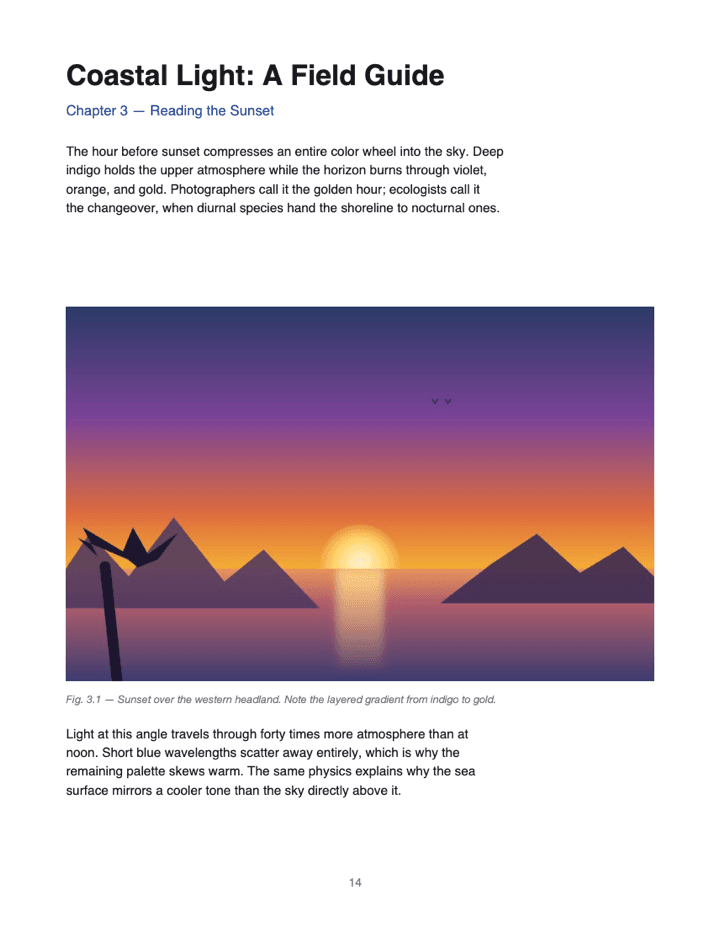
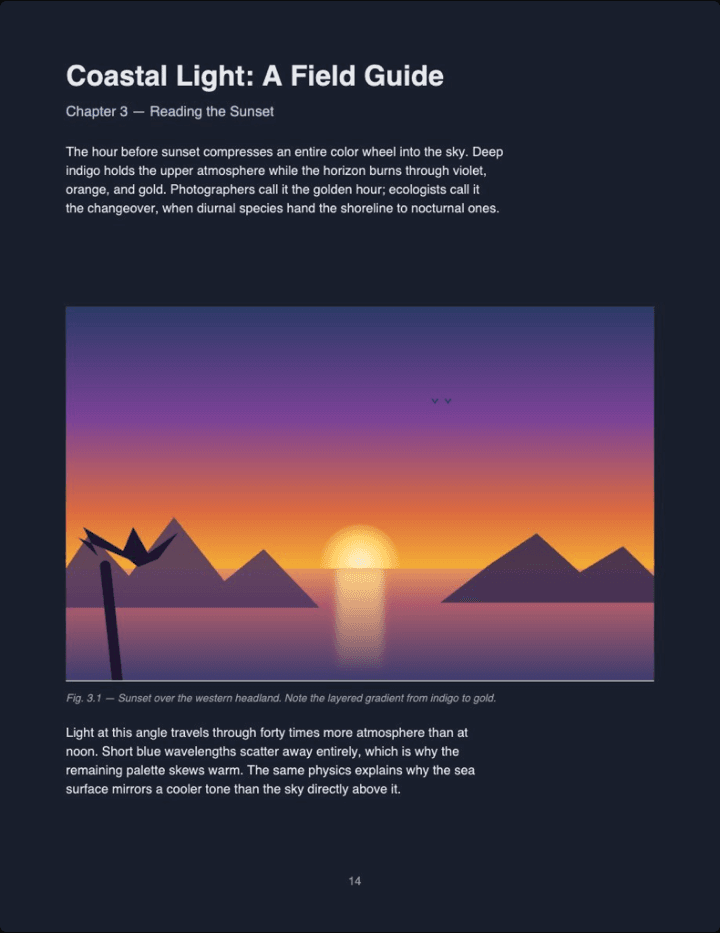
Real output (Midnight theme, Auto image mode) — not a mockup. The photo keeps its original colors instead of flipping into a negative.
Skip the trip through Preferences. Drop your PDF in, pick a theme, and download a file that's already dark — in Acrobat, on your phone, and for anyone you send it to.
Convert a PDF to dark mode →Adobe Acrobat PDF dark mode FAQ
I turned on Dark Gray in Acrobat but my PDF pages are still white — why?
Dark Gray (View → Display Theme) is an interface theme — it recolors the toolbar, panels, and menus, not the page. The document canvas keeps rendering the PDF's own colors, almost always white.
So how do you actually make the page content dark in Acrobat?
Open Edit → Preferences on Windows (Acrobat → Preferences on Mac), pick the Accessibility category, check Replace Document Colors, then set a dark page background and light document text.
Why is this setting under Accessibility instead of somewhere more obvious?
Adobe built it for low-vision and high-contrast reading, not as a dark mode — nothing in the View or Theme menus points to it, which is why most users never find it.
Do images stay normal-colored when I use Replace Document Colors?
Yes — only page background and text are recolored, so photos keep their original colors instead of turning into negatives.
If I set this up on my laptop, will the PDF still look dark on my phone or on a coworker's computer?
No. It's an Acrobat application preference, not saved inside the PDF — the same file opens with its original white background everywhere else.
Is there a way to get a PDF that's actually dark everywhere, on any device, for anyone who opens it?
Yes — convert the file itself. PDF Dark rewrites the colors saved inside the PDF, so the dark theme travels with the file to any app on any device.