PDF Dark Mode in Firefox — What Works and What Doesn't
By PDF Dark Team · · 4 min read
You switched Firefox to its dark theme, opened a PDF from your Downloads folder, and watched the toolbar go dark while the page underneath stayed a bright white sheet. So you searched, found the hidden-preference trick every forum mentions, flipped the value — and the toolbar got a little darker while the page itself didn't change at all. That's the whole story of Firefox's built-in options: the darkness stops at the edge of the document. Here's what actually darkens the page.
The quick answer
To just read, open the PDF dark mode reader in a Firefox tab and drag your PDF onto it. To make the file itself dark — in Acrobat, on your phone, in Firefox next week — use the converter and download a dark copy. Both run entirely in your browser; the file is never uploaded.
Option 1: read with a dark theme in Firefox
The fastest route — no hidden preferences, nothing installed:
- Open a new Firefox tab and go to the PDF dark mode reader.
- Drag your PDF onto the page, or click to pick it from your Downloads folder.
- Pick a theme — Midnight, Sepia, Solarized, or pure-black OLED — and read. Pages render dark right in the tab.
Nothing is stored: close the tab and the file is gone. If it's a paper you'll be reading all week, Option 2 below gives you a copy that opens dark on its own.
Before / after
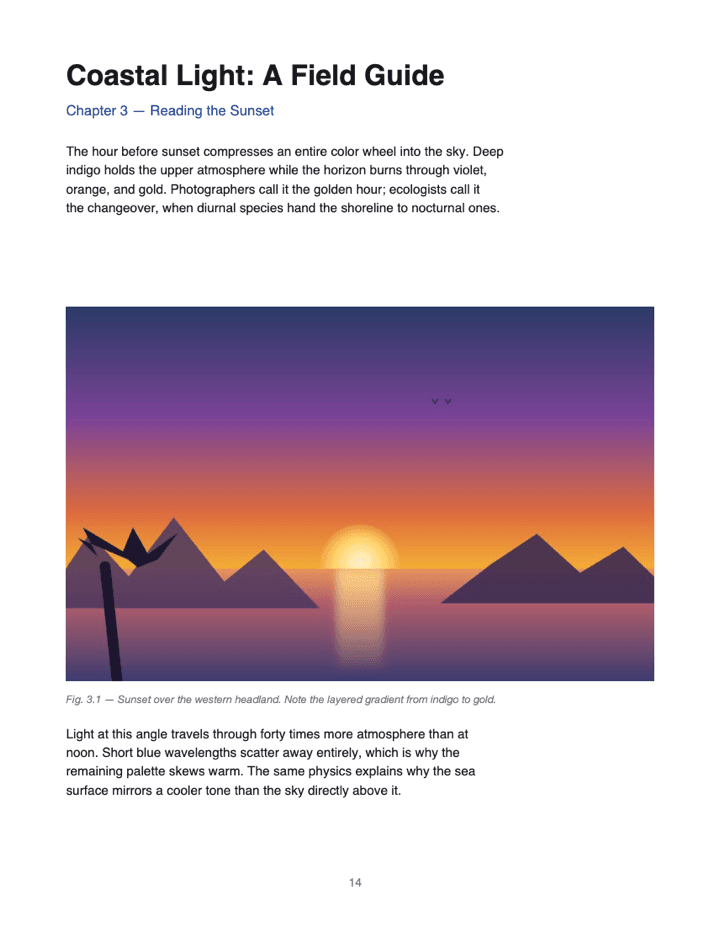
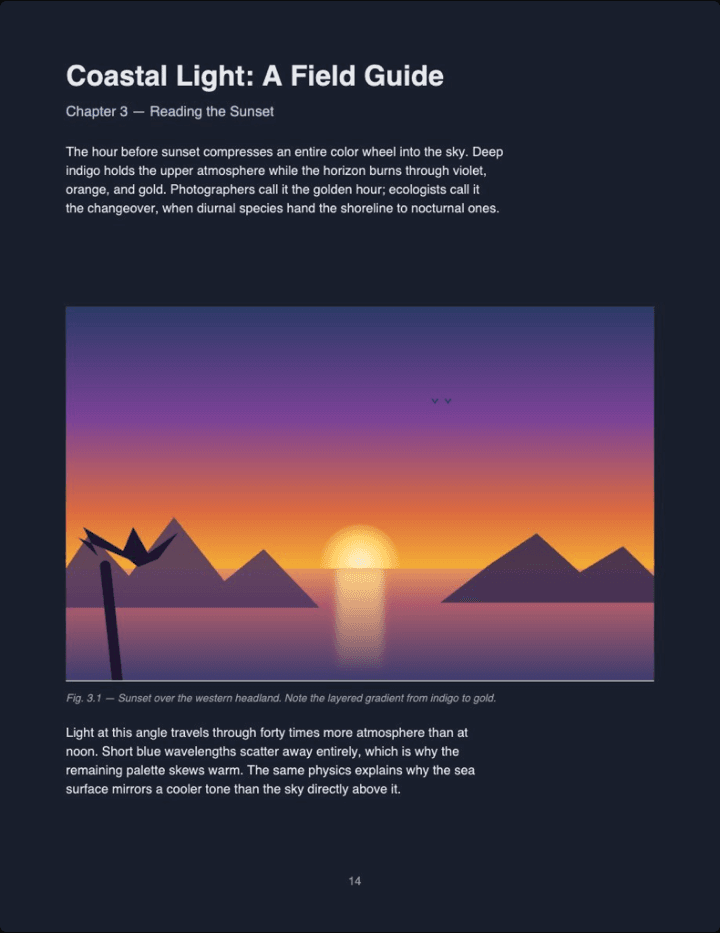
Real output (Midnight theme, Auto image mode) — not a mockup. Notice the photo keeps its original colors instead of flipping into a negative.
Option 2: convert the file, then keep it dark everywhere
Firefox renders PDFs with PDF.js, Mozilla's open-source engine — and the converter uses the same engine, so anything Firefox can open, it can open. Instead of framing the page, it rewrites the colors saved inside the file:
- Open the converter in Firefox and drop your PDF on it.
- Pick a theme and click Download.
- Open the dark copy from Firefox's downloads panel — the arrow icon in the toolbar — or press Ctrl+O and pick it from Downloads. This time the page renders dark.
Background dark, text light, photos detected and left in their original colors — the recoloring keeps text selectable on most PDFs, since it isn't a screen filter. And because the change lives inside the file, the copy opens dark in Acrobat, on your phone, in any viewer. Works in Firefox on Windows, macOS, Linux, and Android.
Have a PDF open right now? Drop it on the reader and it renders dark in this same Firefox tab — nothing installed, nothing saved.
Read a PDF in dark mode →PDF dark mode in Firefox FAQ
Does Firefox have a built-in PDF dark mode?
Partially. The viewer's toolbar can go dark, but the page content itself always renders on a white background — there's no public preference for the page canvas.
What about the about:config pdfjs.viewerCssTheme hack?
Setting pdfjs.viewerCssTheme to 2 darkens the toolbar and the area around the page, but the page itself stays white. It's a cosmetic fix, not a real one.
Do Firefox dark-mode extensions help?
Barely. Firefox's PDF viewer is privileged browser UI that extensions mostly can't restyle — Dark Reader itself notes its PDF support is limited — and filter-based approaches invert photos into negatives anyway.
Aren't you just using PDF.js like Firefox does?
Yes — same Mozilla engine, different next step: text and background are recolored into your theme, images are detected and handled separately so photos keep their colors, and the result is a downloadable file, not a viewer toggle.
Does this work on Firefox for Android?
Yes. The conversion runs on your phone, the dark PDF saves to your Downloads folder, and it opens in any reader afterwards.
Is the original PDF uploaded anywhere?
No. Everything runs in your Firefox tab — watch the Network panel in Firefox DevTools while converting and you'll see no upload request for the file.